Capture
Scan paper or import photos and PDFs. Start with the document you already have.
01 / The final mile
Boreal PDF
Document preparation for iPhoneScan or import a document, add the missing marks, run OCR, compress for upload, and check the final PDF—all in one guided iPhone workflow.
App Store availability can vary during review or rollout.
One document. Four clear phases.
Boreal PDF is a preparation flow, not a toolbox. Each phase stays close to the document and points to what comes next.
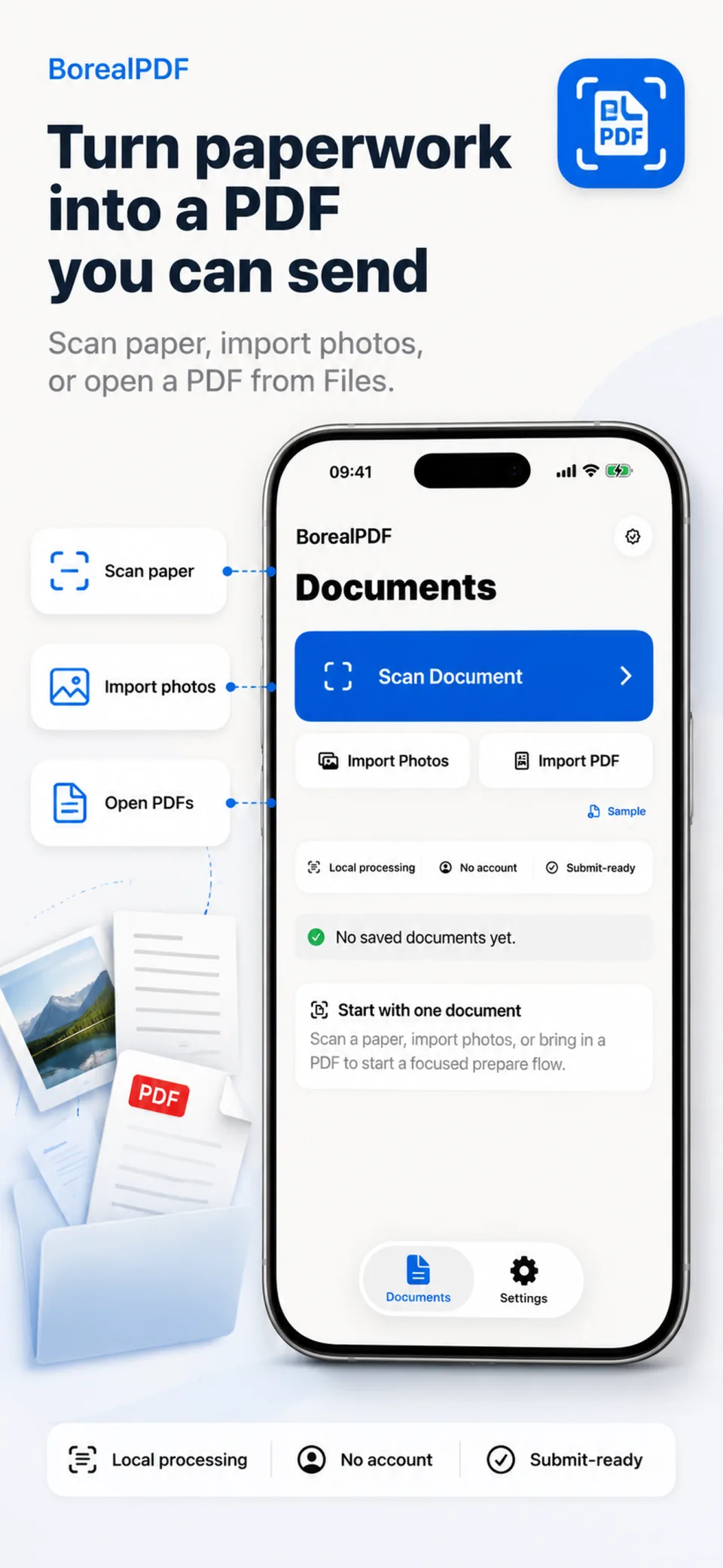
Scan paper or import photos and PDFs. Start with the document you already have.
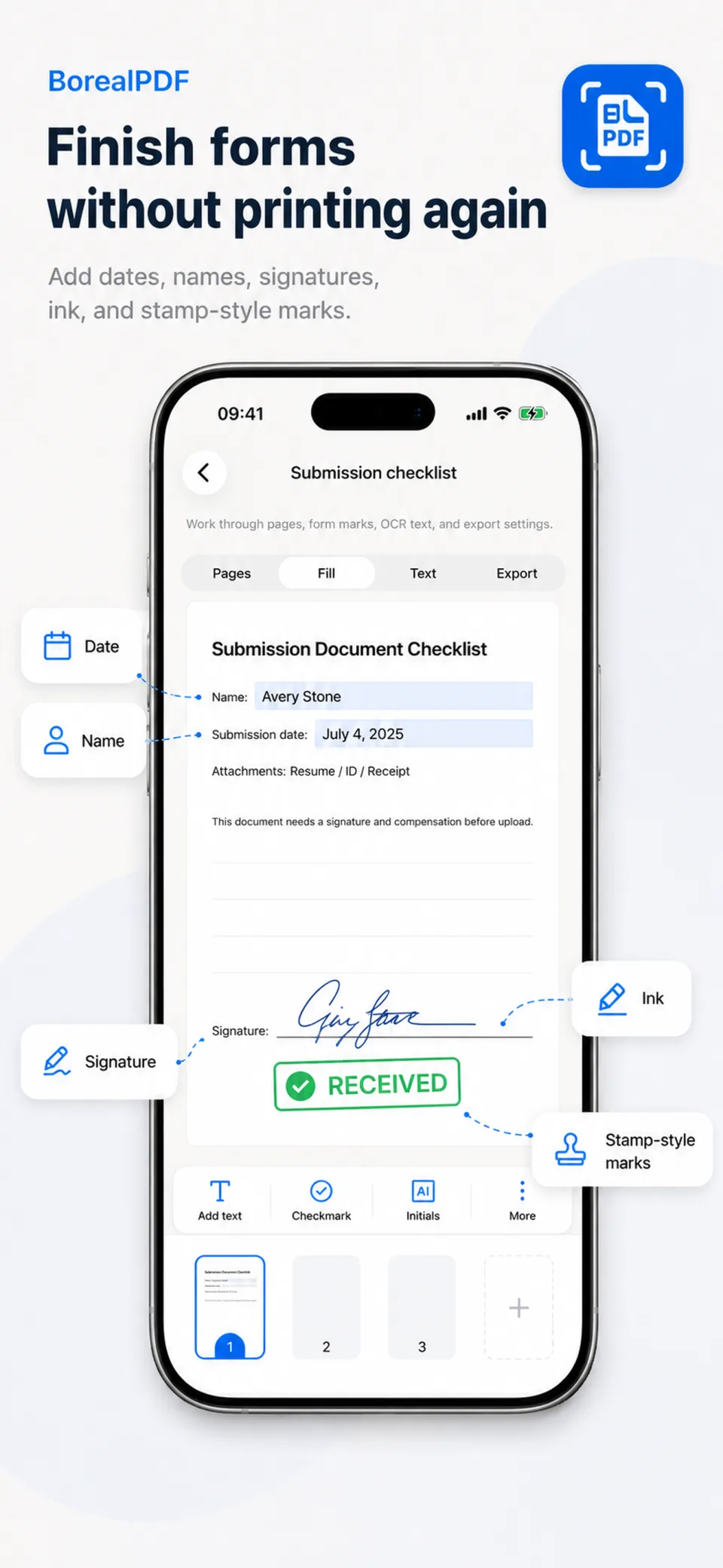
Add dates, names, signatures, ink, and stamp-style marks without printing again.
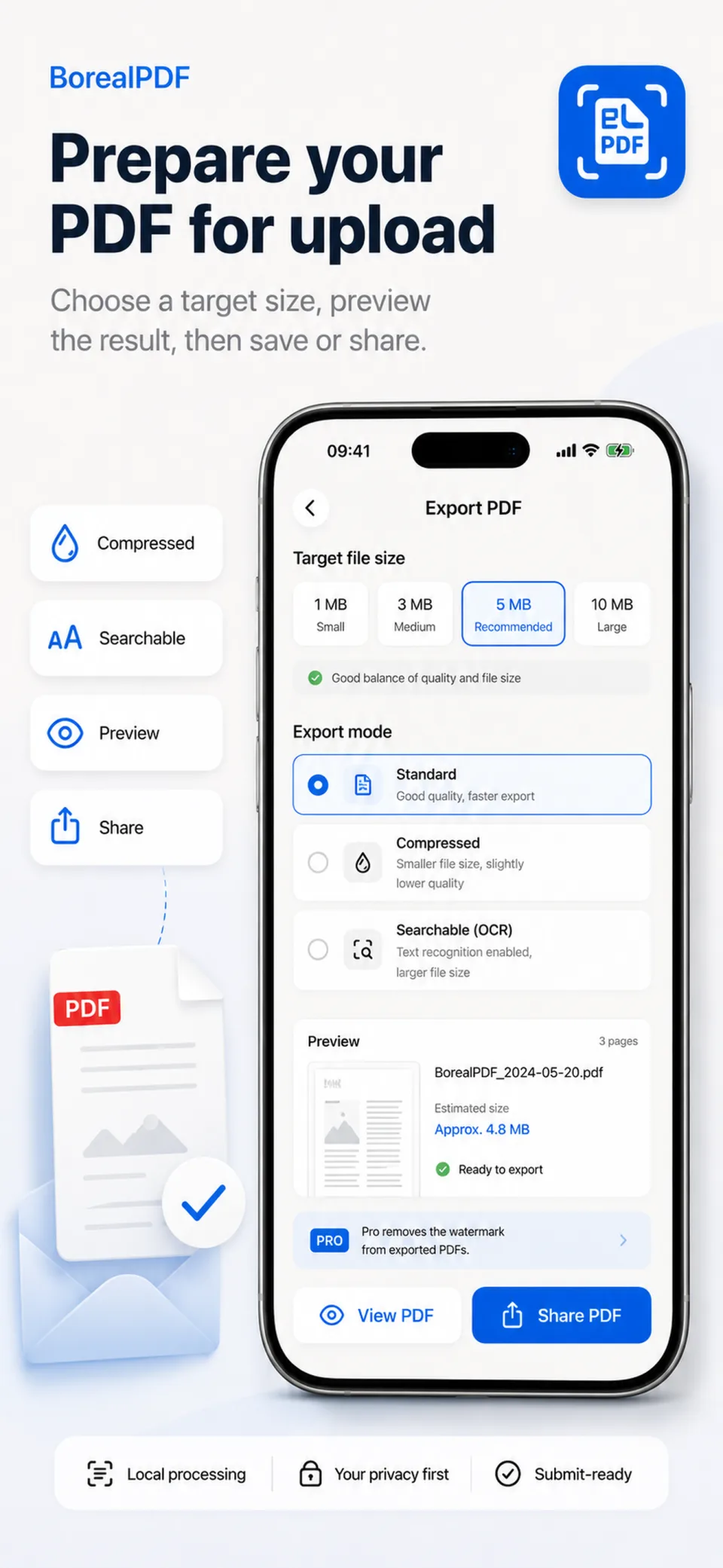
Run OCR, review searchable text, and choose a target size for the upload ahead.
Preview the generated PDF, then save to Files, share, or print from iPhone.
Product, not promises
These are real Boreal PDF screens arranged as a three-part story: begin, complete, and export.
Built for real paperwork
01Applications, certificates, resumes, and school forms
02Receipts, reimbursements, invoices, and tax records
03HR files, contracts, dates, signatures, and stamp-style marks
04Compression for upload limits and OCR for printed documents
Quiet by design
Boreal PDF is built around local processing and no account requirement. It helps finish the task without pretending every PDF needs a cloud workspace.
Prepare up to 5 documents per day, then export with a Boreal watermark.
Unlock watermark-free export and unlimited daily documents with 24-hour, monthly, or yearly access.
Ready when the paperwork is
Boreal PDF keeps scanning, form marks, OCR, compression, preview, and export in one focused workflow.